Features
Everything between "we've been invited" and "we've submitted"
Scenaxis covers the whole bid: reading and summarising the documents, tracking the client's changes, deciding whether to pitch, planning the team, costing the pitch and keeping everyone on schedule.
Tender analysis
Upload the pack. Get the facts in minutes, not days.
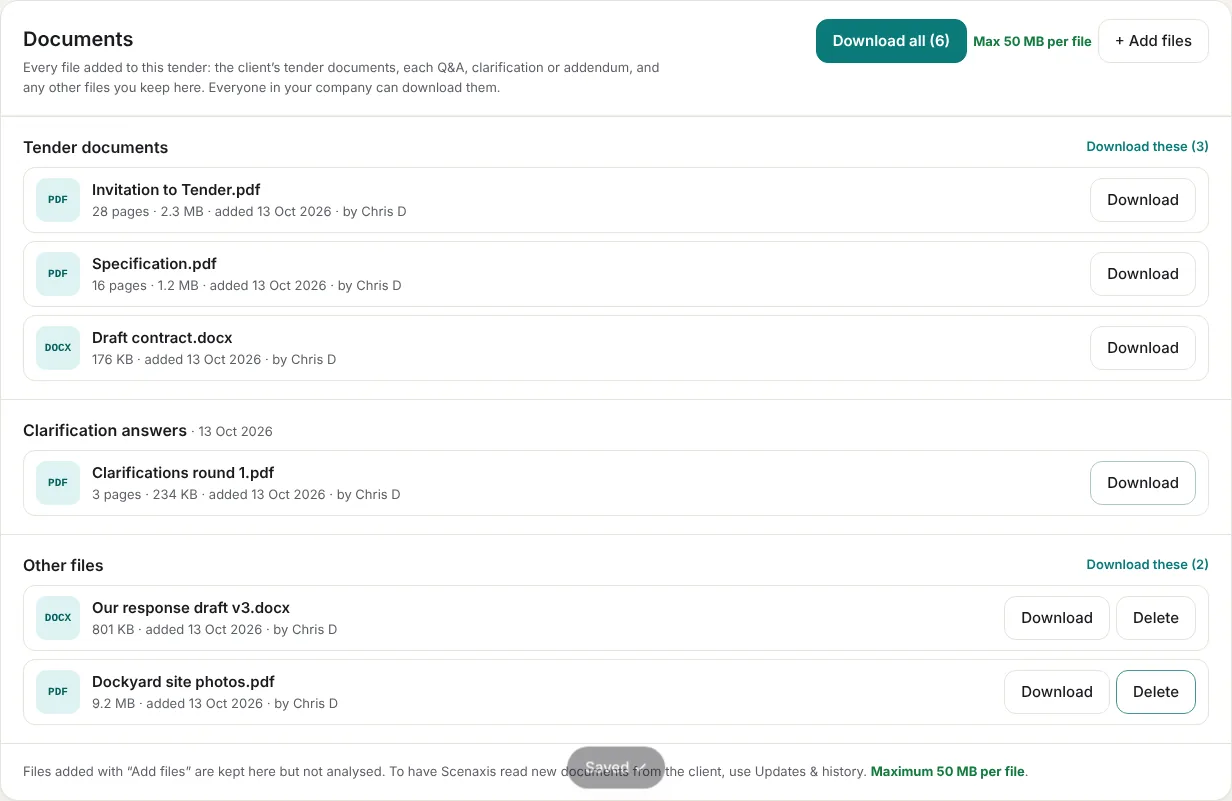
Drop in the invitation to tender, the brief, the contract, specifications and pricing schedules. Scenaxis reads PDF, Word, Excel, CSV, emails and web pages, and lists every file it read with page counts.
- Submission and event dates, with days left
- Client budget, delivery cost estimate and the margin it leaves
- Deliverables, risks, competition and partners
- The hours each role needs to prepare the bid
Tender summary
The whole tender in a few minutes' reading
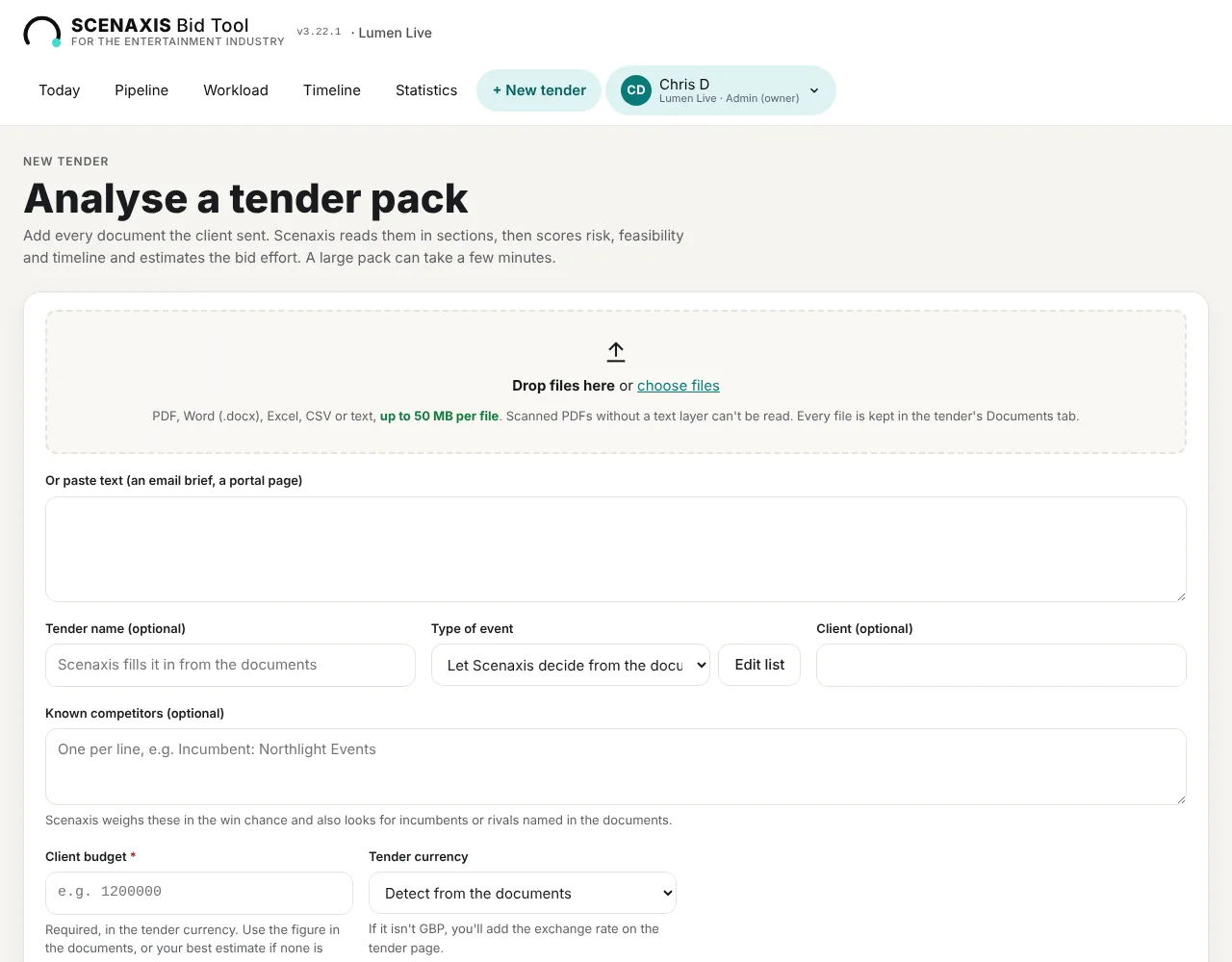
Scenaxis writes a one-page overview and a full digest of the tender: scope, key dates, budget and payment terms, how to submit, how bids are judged, mandatory requirements and contract terms to note. Every point ends with its source, for example "(ITT p.6 §2.3)".
- At a glance: what, who, where, when, budget and what to watch out for
- Full digest in clear sections, with sources
- Export to PDF or Word for the team and your bid board
Changes from the client
Q&A and addenda, tracked to the source
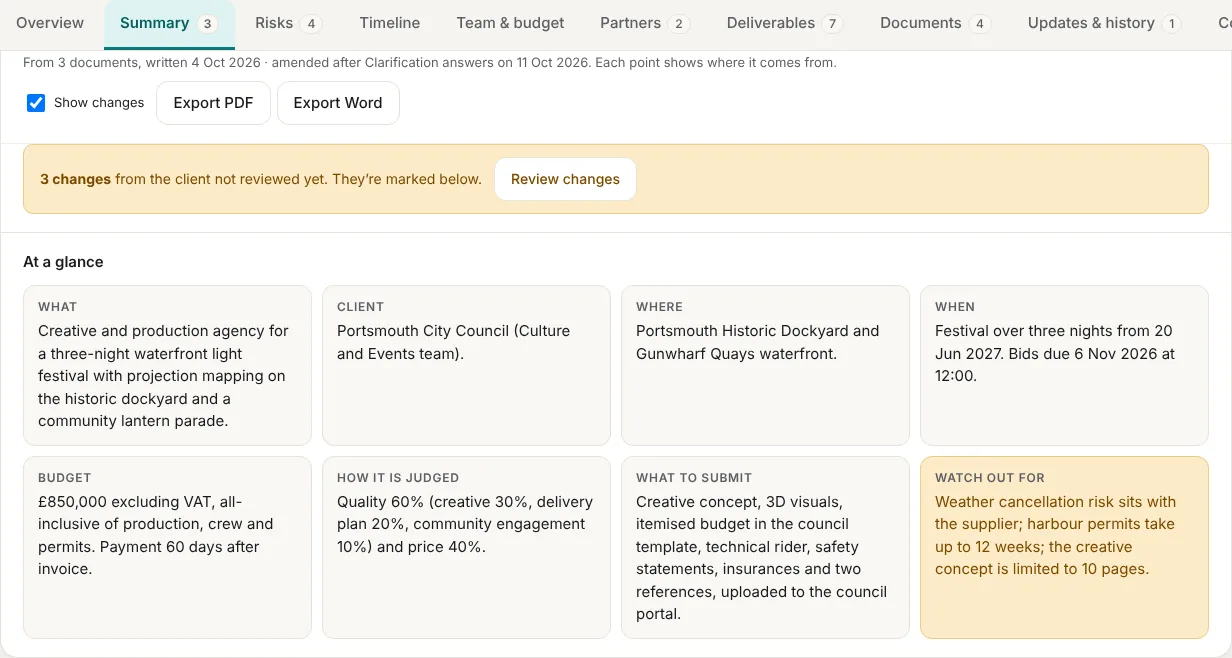
Add clarification answers, a Q&A log or an addendum, and Scenaxis updates the summary, the key dates, the timeline, the deliverables and the risks. Every change is listed with its exact reference, for example "Q&A log p.2 Q14", and its impact on your bid.
- Changed, new and removed points marked in the summary, with the old wording
- Moved dates and new deliverables labelled in the tool, with their reference
- Mark changes as reviewed, and email the team in one click
- Change register exported to Excel or PDF
Documents
Every tender document, kept and downloadable
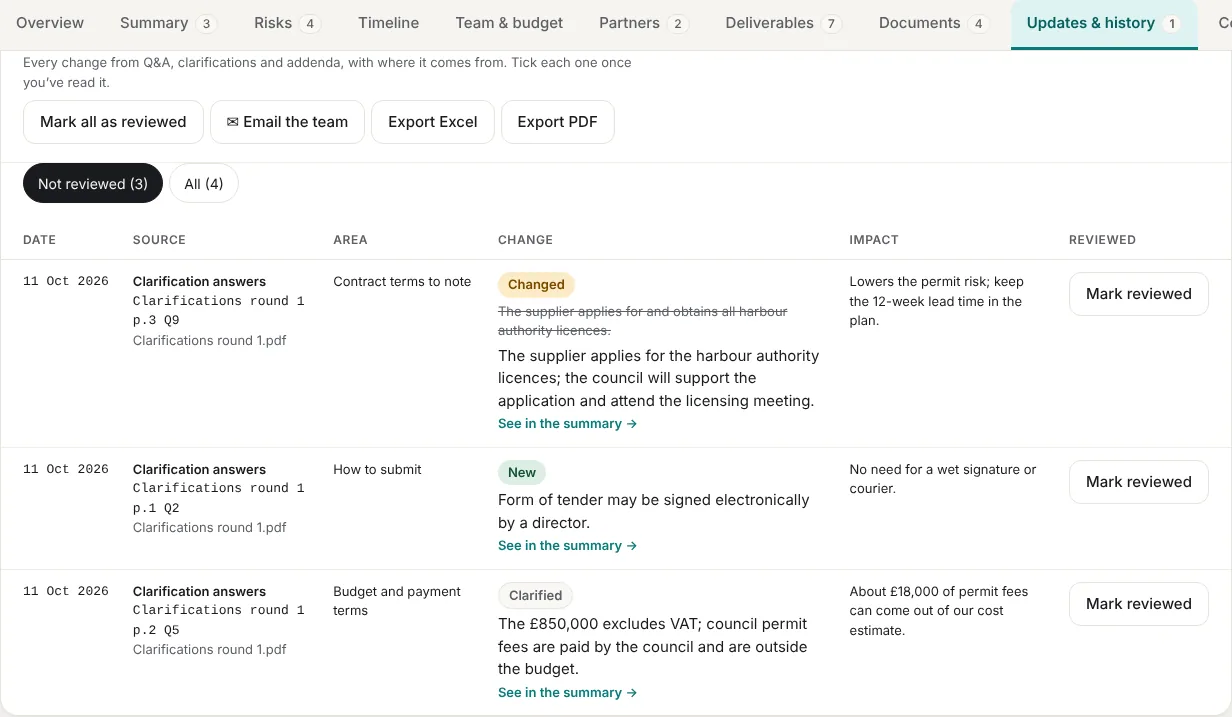
The tender pack, every Q&A, clarification and addendum, and any other file you add are stored with the tender, grouped by when they arrived. Download one file, a group, or everything as a zip.
- Grouped: tender documents, then each update with its date
- Download one by one or all at once
- Add your own files: drafts, site photos, signed forms
- Up to 50 MB per file
Go / no-go
A recommendation you can check, and overrule
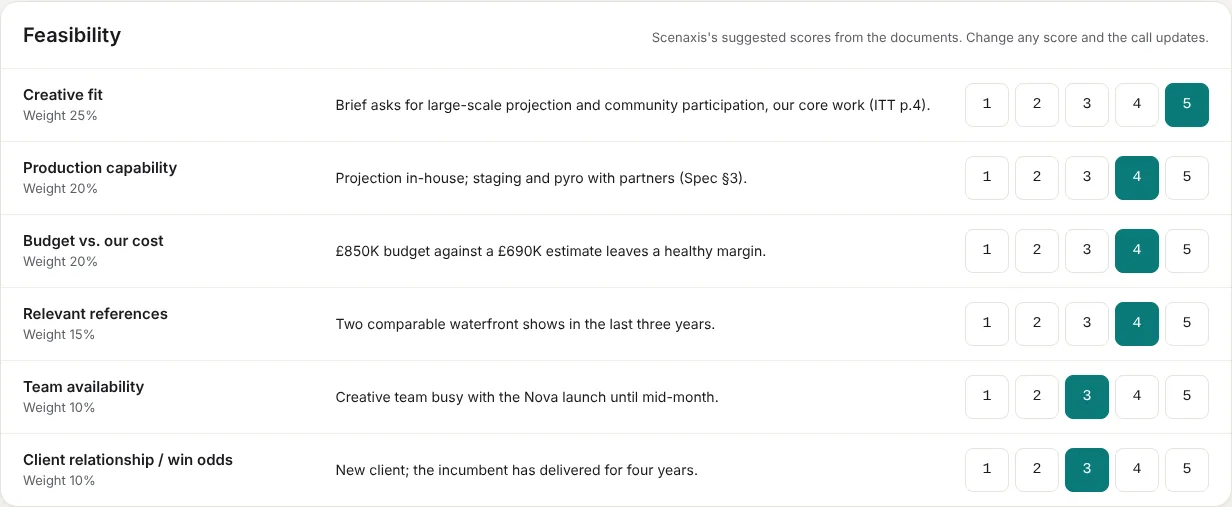
Six criteria are scored from 1 to 5 with evidence from the documents, weighted and scaled to 100. Risks add up to a risk score, and the timeline gets its own verdict. The rules are fixed and shown in the tool.
- Change any score with one click; the recommendation updates
- Record your bid decision with a reason and a date
- Statistics compare your decisions with Scenaxis's call over time
Risks and timeline
Spot the catch before you commit
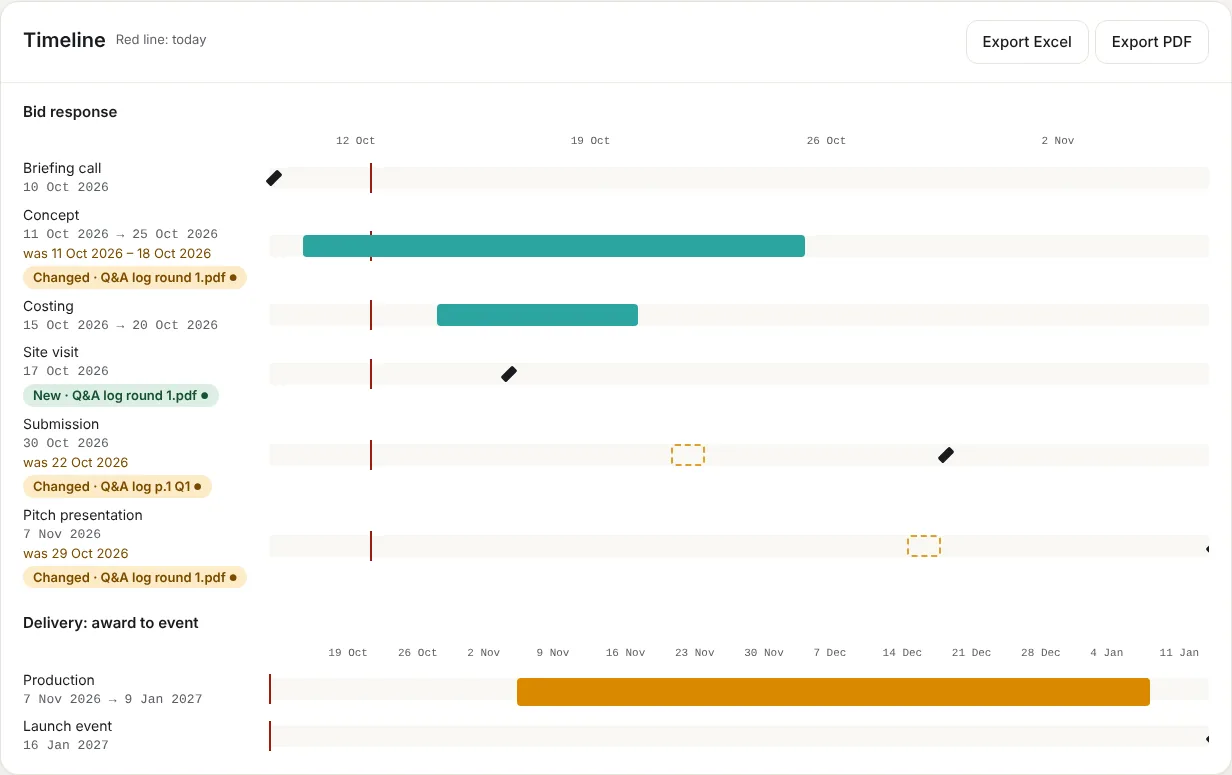
The risk register lists each risk with its severity, category and the clause it comes from (for example "Contract §12.3"), plus a suggested mitigation. Two Gantt charts show the bid response and the delivery, so you can see whether both fit.
- Use the register to write clarification questions
- Bid response and delivery timelines, exportable to PDF and Excel
- Key dates you can add to your own calendar (.ics)
- After a Q&A, moved and new phases are marked, with their previous dates
Team & workload
Staff every bid with people who have time
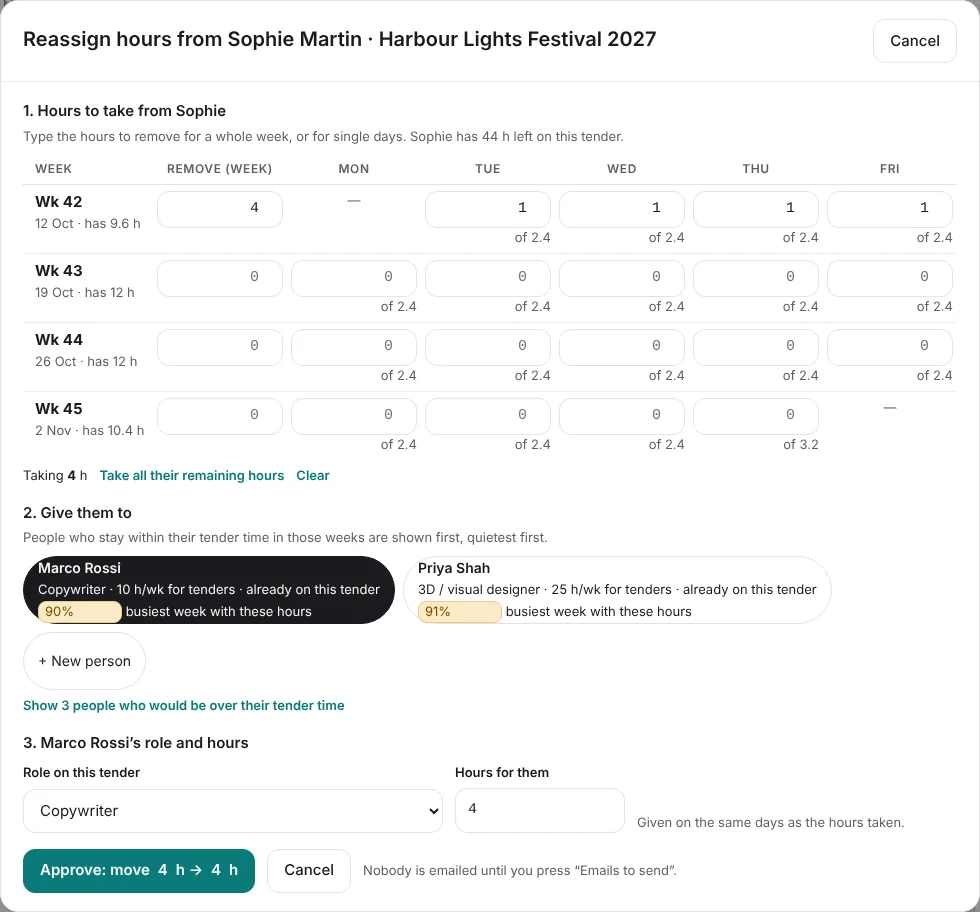
Each person has a weekly "tender time": the hours they can give to bids alongside their day job. Assign them by week or by day, with a different role on each tender, and see their load across every bid.
- Hours per week or per day, per tender
- Overloaded weeks shown in red
- Reassign hours to someone with capacity, or add a new person
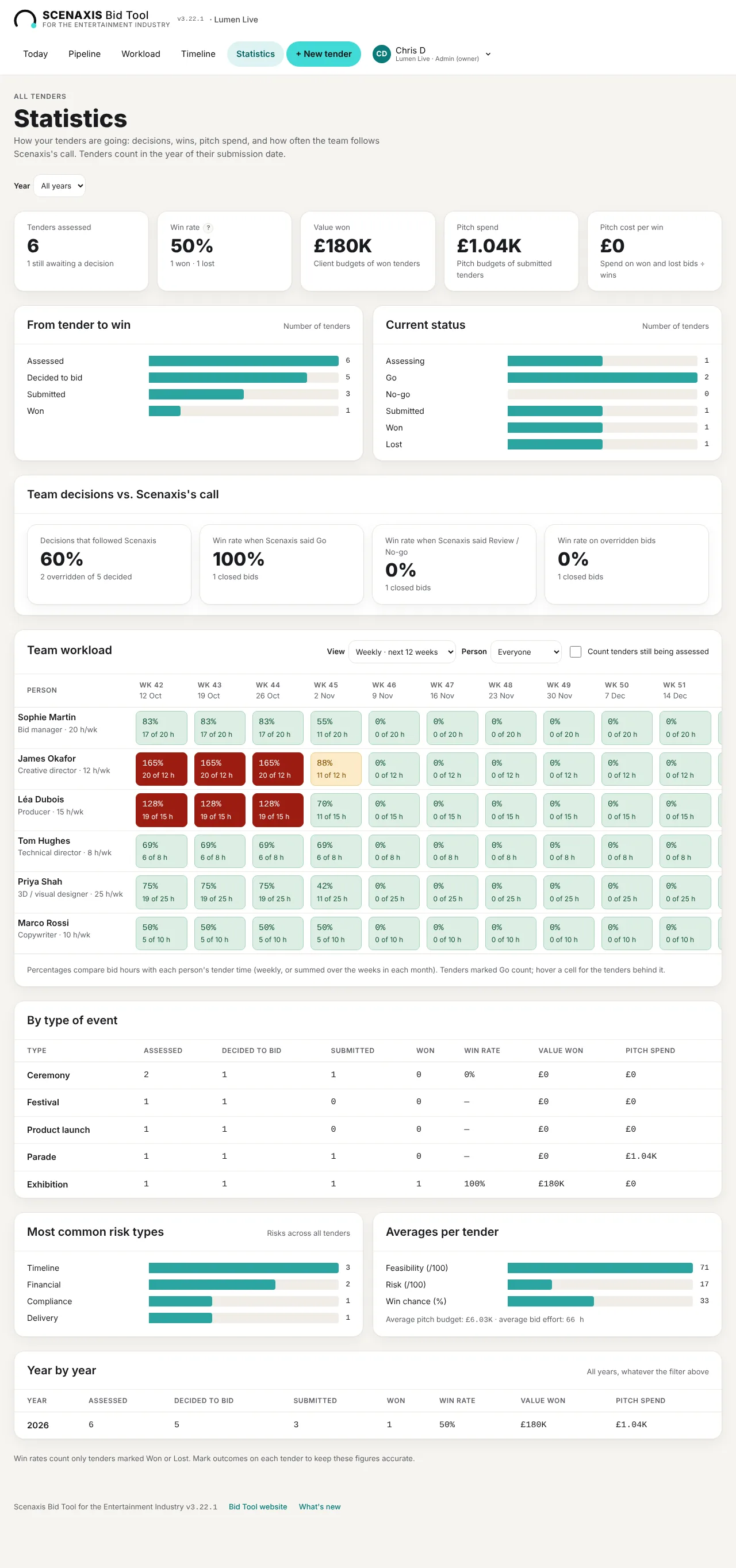
- Assignment and removal emails, written when you press the button and editable before sending
Pitch budget
Know what the pitch costs before you spend it
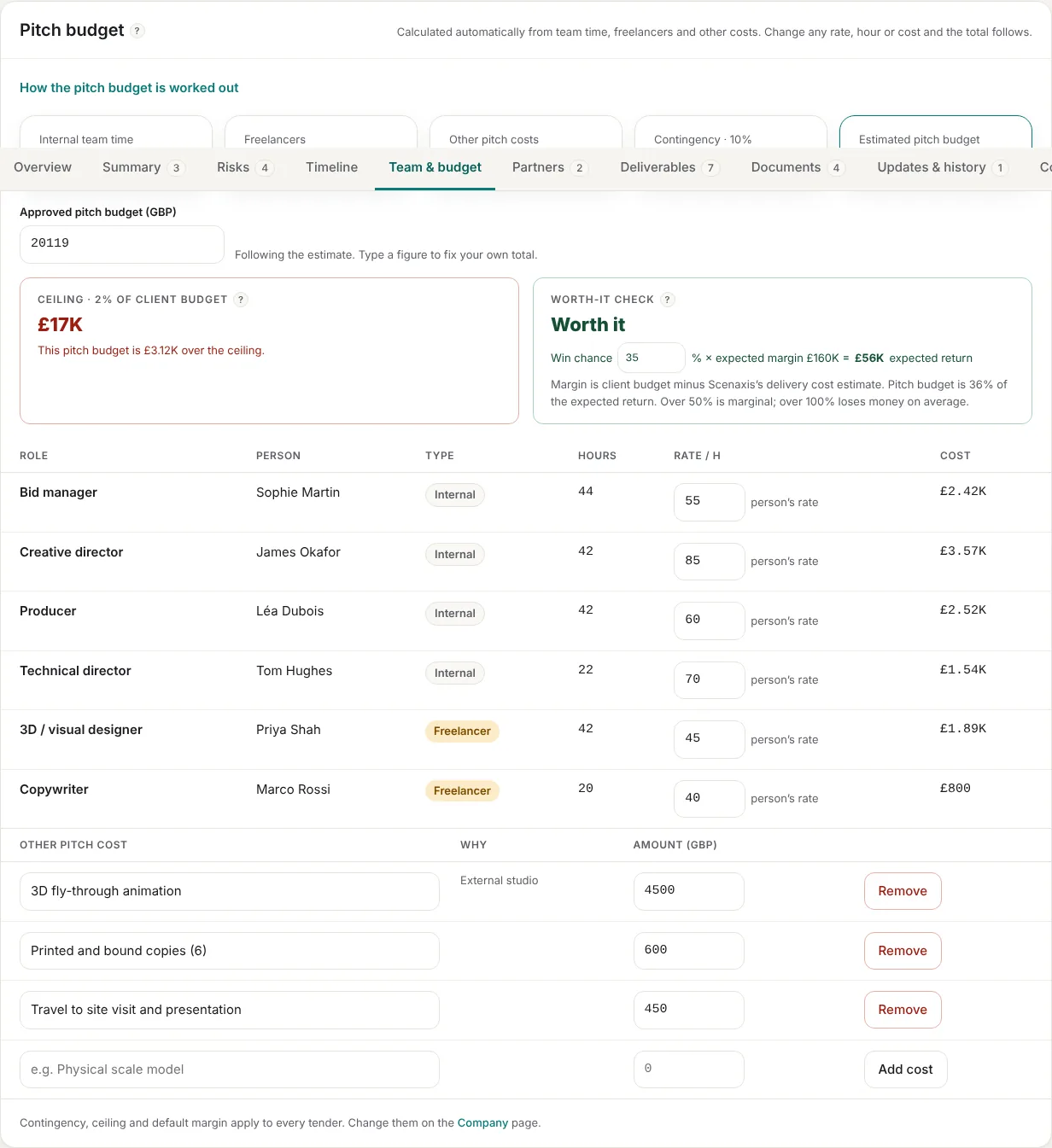
The pitch budget adds up team time at each person's rate, freelancers and other pitch costs, plus contingency. It is checked against a ceiling (a share of the client budget) and against the expected return.
- Ceiling check: are we spending too much to win this?
- Worth-it check: win chance × expected margin
- Approve a budget figure and track against it
Deliverables & emails
Every deliverable has an owner and a date
List what has to be produced (creative deck, budget, method statement, 3D visuals) and who owns it. The pitch lead gets email reminders before key dates, and the Today page flags anything without an owner.
- Deliverables with owners and due dates
- Regenerated after every Q&A, with new and changed items marked
- Key dates with automatic reminders to the pitch lead
- Updates and history on every tender
Reports & statistics
Reports your bid board will actually read
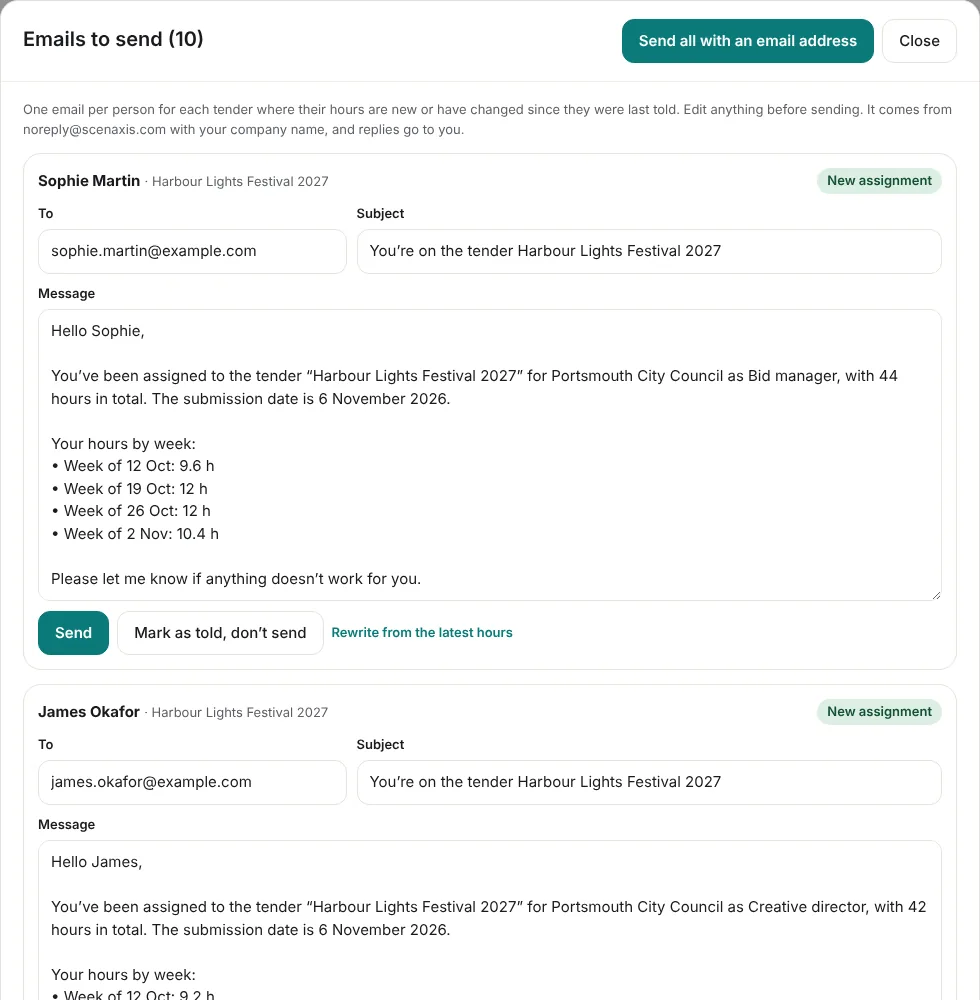
Produce a go/no-go report or a full tender report with an AI-written narrative, export to PDF and Excel, and follow your win rate, value won and pitch spend per year.
- Go/no-go and full tender reports
- PDF and Excel exports of the pipeline
- Win rate, pitch cost per win, decisions vs. recommendations
- Timeline of every submission and event
Currencies
International tenders, one reporting currency
Each tender keeps its own currency. Scenaxis converts it to your company currency using the European Central Bank reference rate, with a link to XE to compare. You can fix your own rate for a tender at any time.
- ECB reference rates, updated each working day
- Your own rate when the contract fixes one
- Pipeline totals always in your currency

Users and roles
Bring in the whole company. Pay only for editors.
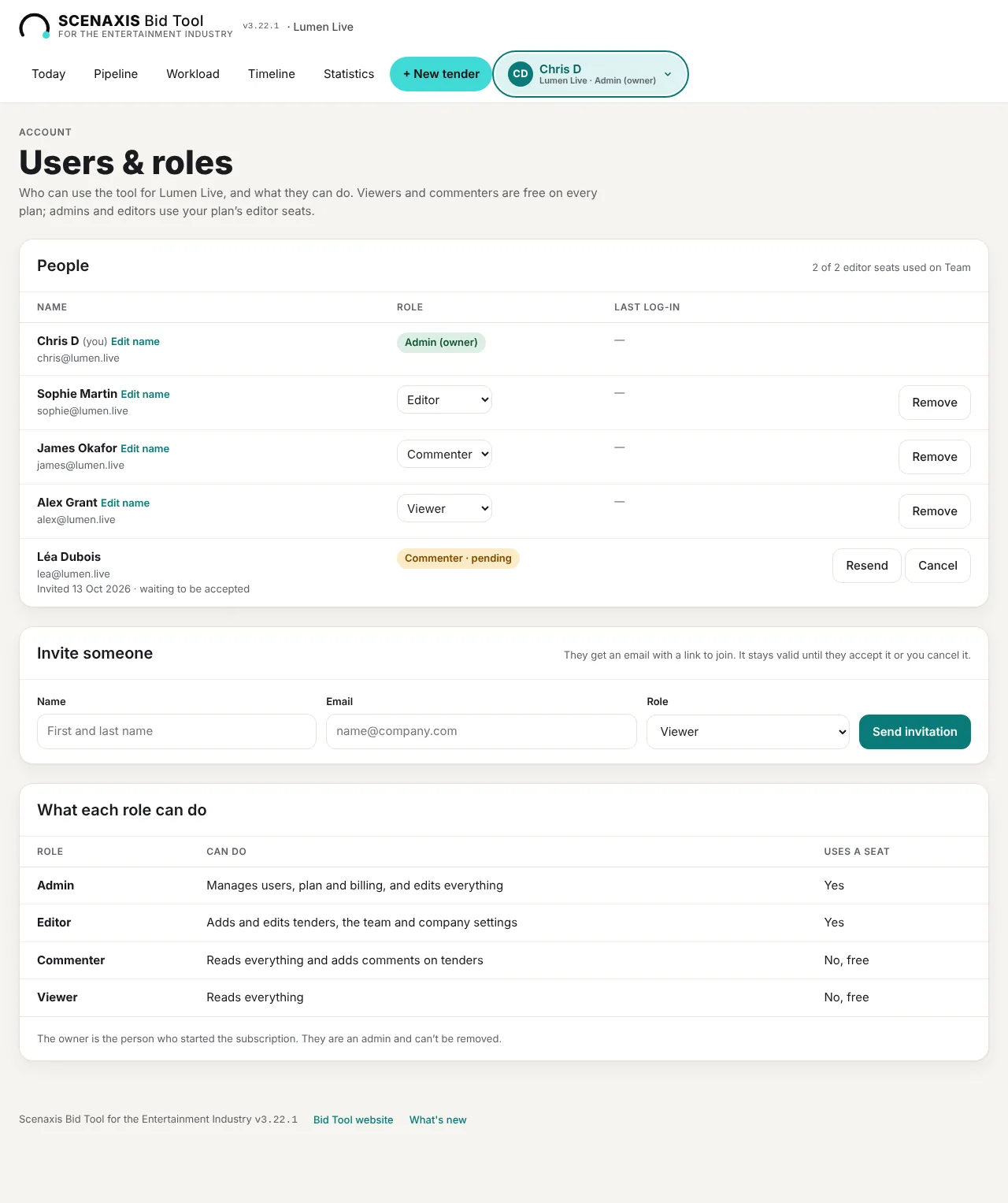
Invite colleagues by email. Directors and account managers can follow every bid and comment for free.
Invite people in a minute
Type a name and email, pick a role, and they get an invitation that stays valid until they accept it. Change a role or remove someone at any time; removing them revokes their access straight away.
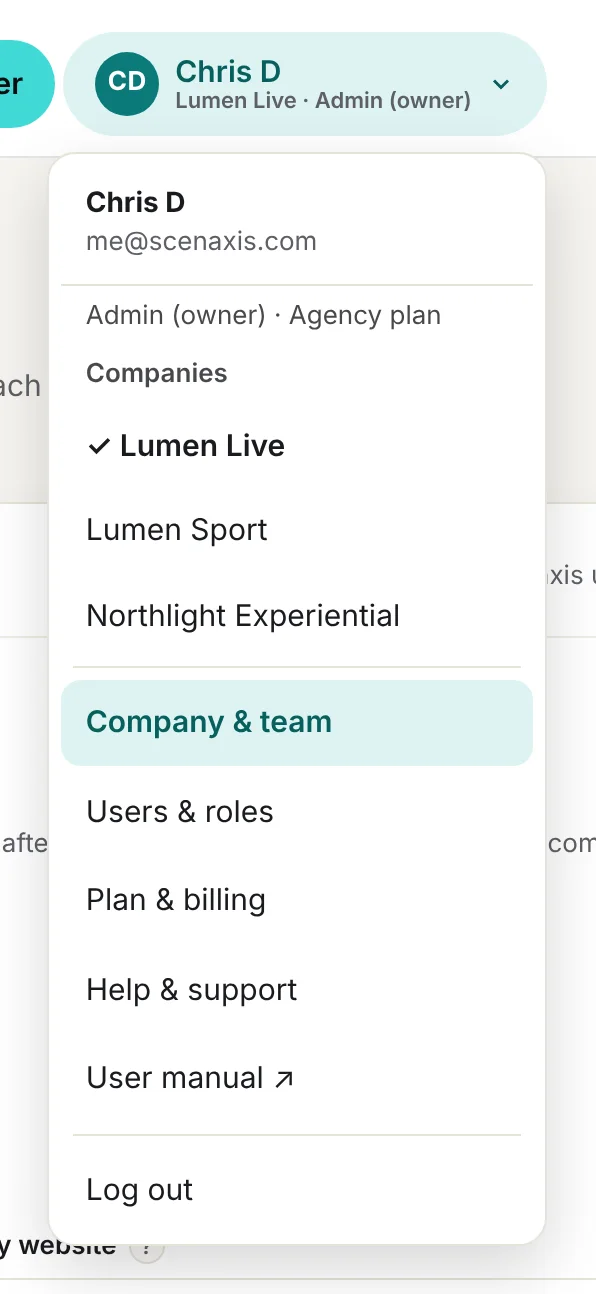
- See who is signed in, their company and role, at the top of every page
- Seat count shown as you invite, so there are no surprises on the bill
Comments on every tender
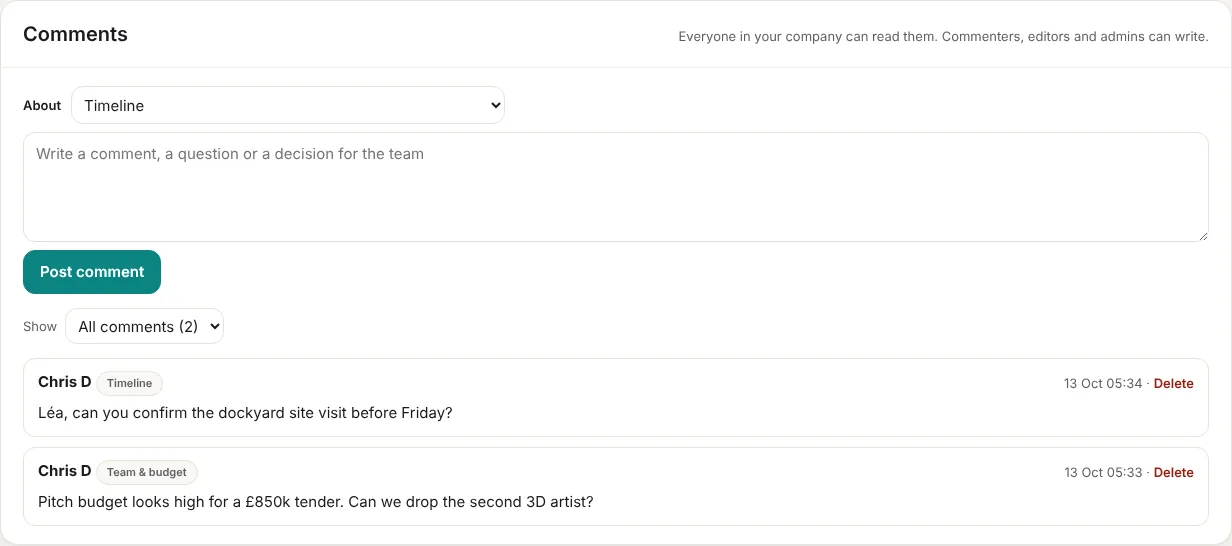
Commenters, editors and admins can leave a note, a question or a decision against any part of a tender: the timeline, the team and budget, risks or deliverables. Everyone in the company can read them.
- Filter comments by topic
- Directors can challenge a pitch budget without editing it
One login, several companies
On the Agency plan, each brand or company has its own tenders, team and settings. Switch between them from your account menu, with one subscription for all of them.
Your decisions on record
Every bid decision is saved with its reason and date, and every change to a tender is kept in its history.
Works on your phone
Today, the Pipeline and every tender page adapt to a phone screen, so you can check a deadline from site.
Your data stays yours
Each company only sees its own tenders. Card payments are handled by Stripe. Download a full backup whenever you like.
See it with your own tenders
Seven days free on any plan. Upload a real tender pack and get a go/no-go recommendation, a staffing plan and a pitch budget.